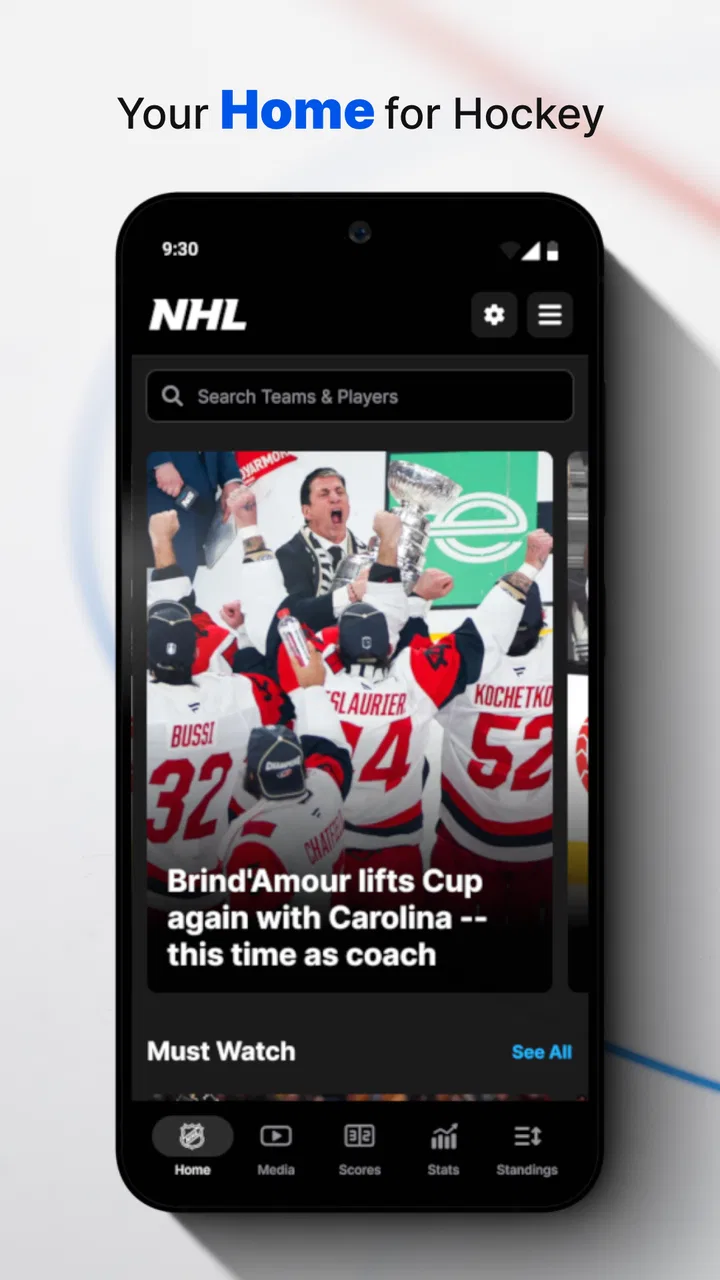
NHL
- 3.1
- Rating
- 10.00M
- Installs
- Free
- Price

 Analysis by App-foxy
I approached NHL as a practical companion for following professional hockey rather than as a game or a general sports portal. It is a free sports app from NHL Enterprises, LP, and its appeal is easy to understand: if hockey is the sport you check throughout the day, having one dedicated place for league information is more convenient than jumping between browser tabs, team pages, social feeds, and television listings. My experience was strongest when I used it as a quick reference during a busy day, but less satisfying when I expected every part of the experience to feel equally smooth.
The app has been around since October 13, 2011, and its long presence is reflected in its broad audience. It has passed ten million installs, carries an average rating of 3.2 from roughly one hundred four thousand ratings, and has about sixteen thousand written reviews. Those figures suggest a familiar pattern: plenty of people find it useful enough to keep around, while others run into reliability or usability issues that affect their opinion. That balanced picture matches how I see it. It is useful when you want hockey information in one focused app, but it is not automatically the best tool for every kind of hockey fan.
Where the real friction begins
The first difficulty is deciding what role you want the app to play. If you open it expecting a full replacement for live television, a deep statistical database, a social community, and a perfectly personalized alert system all at once, you may find the experience uneven. Its core identity is much clearer: this is the official NHL app, with the league itself behind it, and that makes it a natural starting point for league-level information. It does not mean every screen will suit every preference.
You May Also Like

 Blood Strike: 2.5 Anniversary
Blood Strike’s Loadouts Turn Every Drop Into a Tactical Gamble
A close look at Blood Strike’s custom loadouts: how fast access to signature weapons reshapes its battle royale rhythm, rewards preparation, and narrows the gap between fights.

 Pandora - Music & Podcasts
Pandora’s Music Is Easy to Start, but Harder to Recover
Pandora’s strength is its low-effort path from a seed to a station. Its weak spot is how much confidence it asks you to place in connection, setup, and quiet recovery.

 8 Ball Pool
 Is Built on Rivalries, Rematches, and Routine
A close look at the rivalries, rematches, shared routines, and unanswered safety questions that turn a quick pool match into a persistent mobile community.

 Samsung Music
’s Quiet Strength Is Playing What You Already Own
Its reach comes less from spectacle than from dependable access to a personal library. That simplicity is both the app’s strongest retention engine and its ceiling.

 AccuWeather: Weather Radar
AccuWeather Review: A Quick, Clear Forecast for Everyday Decisions
For everyday plans, the best forecast is the one you can understand quickly. AccuWeather makes rain timing, radar, and local conditions easy to act on, with a few trade-offs.

 Hill Climb Racing
Why Hill Climb Racing Still Turns Crashes Into One More Run
A tiny car, a bumpy hill and one more upgrade: Hill Climb Racing keeps resurfacing because its simple chaos makes every near-miss feel personal.
More From Our News Desk
View All News


I found that the app works best when I begin with a specific question. Am I checking a score, looking for a game-related update, following league activity, or trying to orient myself before watching? That small change in approach prevents aimless scrolling. Instead of treating the app like a feed that must entertain me continuously, I use it as a hockey dashboard. The distinction matters because a focused information tool can feel limited if you judge it like a social network.
Another common sticking point is the difference between information being available and information being immediately visible. A user may open the app looking for one team, one matchup, or one piece of news and then feel lost if the first screen is not arranged exactly as expected. My practical solution is to pause before tapping repeatedly. Look for the main navigation, return to the league-level area, and then narrow the search by team or game. Rapidly reopening screens can make a temporary loading problem look like a larger failure.
There is also a mental adjustment for people moving from a browser. A browser gives you familiar back-button behavior, multiple tabs, and the ability to search the wider web instantly. A dedicated app usually asks you to work within its own navigation. That can be faster once learned, but slower during the first few visits. I would not call this a reason to avoid NHL; I would call it a reason to spend a few minutes learning where the information you care about is located.
What to check before blaming the app
When a page seems empty or an update appears late, I first check the simple things. I confirm that the phone is actually online by opening another service, then try the NHL app again rather than assuming the problem is inside the app. A weak connection can make a content-heavy screen appear broken even when the application itself is functioning normally. Switching between Wi-Fi and mobile data is a useful general test, provided your data plan allows it.
I also check whether the issue affects one screen or the whole application. If the main area opens but a particular game or article does not, I treat that differently from an app that closes immediately or refuses to load anything. Narrowing the problem helps avoid unnecessary steps. It also tells me whether I should wait, restart the app, or look at the phone rather than repeatedly tapping the same control.
The app is free, which makes trying it low-risk, but free does not mean friction-free. I would still make sure the phone has enough available storage and that the operating system meets the stated minimum of version 9. Those are basic checks, yet they are often skipped when someone installs an app on an older device and then assumes every problem is a server issue. Keeping the app itself current is sensible too; the current version is 16.6.0.
My preferred setup is deliberately modest. I install it from the official app store, open it on a stable connection, and give the first session enough time to settle before judging performance. I then explore the screens I am most likely to use on game days. This is better than waiting until the opening faceoff to discover that I do not remember how to reach a team page or locate the relevant game information.
Because the content rating is Everyone, the app is suitable for a broad household audience from an age-rating perspective. That does not make it equally useful for everyone. A young fan may enjoy having league information close at hand, while a casual viewer who only watches a few playoff games each year may find a browser search quicker. The rating describes suitability, not the depth of interest required to get value from the app.
A recovery routine that saves time
When NHL behaves strangely, I use a short recovery routine instead of immediately uninstalling it. I leave the current screen, close the app, reopen it, and test the same action once. If the issue remains, I restart the phone and check the connection again. These steps are intentionally ordinary. They can clear a temporary app-state problem without changing personal settings or creating a new one.
If only one screen is affected, I avoid making several changes at once. For example, I would not clear every application setting, reinstall the app, and switch networks simultaneously, because then I would not know what solved the problem. I prefer one change at a time: first reopen, then restart, then update if one is available, and only later consider reinstalling. That approach is especially helpful for users who want to preserve a predictable setup.
Reinstallation is a reasonable last step for persistent launch or display problems, but I would not use it as the first reaction to a delayed update. A temporary service-side delay cannot be fixed by installing the same application again. If other internet services work normally and the same NHL screen remains unavailable after a clean restart, waiting and trying later is often more sensible than repeatedly rebuilding the installation.
Another useful habit is to record the exact situation. Was the problem limited to one team, one game, one network, or one time of day? Did the app open but fail to refresh, or did it never get past startup? Those details make any support request more useful and help you decide whether a workaround is available. “It does not work” is difficult to act on; “the app opens, but one section remains blank after changing networks” is much clearer.
I also recommend using a browser as a temporary fallback when the information is urgent. That is not an admission that the app has failed permanently. It is simply good planning. If I am about to leave home and need a quick hockey update, I would rather confirm it through another official route than spend ten minutes troubleshooting. The app should reduce effort, not turn a simple question into a technical project.
When the app is not the cause
Hockey information is time-sensitive, so users naturally notice delays. However, a delayed score or update can involve several parts of the delivery chain: the phone connection, the operating system, the app session, or the service providing the content. The app may be open and responsive while the newest information is still moving through that chain. I try not to interpret every delay as a design flaw until I have tested another connection and reopened the relevant screen.
Phone settings can also change the experience. Battery-saving behavior, restricted background activity, or aggressive memory management may affect how quickly an app refreshes after sitting unused. I cannot assume the same result on every Android phone because manufacturers manage background activity differently. If updates appear only after I manually reopen the app, I look at the phone’s battery and background settings before deciding that the application itself is broken.
Time-zone confusion is another easy source of mistaken expectations. A game schedule can look wrong when the user has mentally converted it from another location, especially while traveling. Before concluding that a listed time is incorrect, I check the phone’s time and location settings and compare the display with the schedule context I intended to follow. This is a small point, but it can prevent unnecessary troubleshooting on game nights.
Notifications deserve the same careful treatment. If I do not receive an alert, I first check whether notifications are enabled for the app and whether the phone is in a mode that suppresses them. I also consider whether I expected an alert that I never configured or whether the app’s current behavior differs from my assumption. Treating notifications as a separate phone setting, rather than proof that the whole app is malfunctioning, leads to a faster diagnosis.
For readers who follow one club intensely, there is a trade-off here. A dedicated team source or a league-focused browser routine may provide a more direct path to the exact information they want. NHL makes more sense for someone who follows the league broadly, watches multiple teams, or wants an official central destination. If your interest is limited to one local club and you already have a reliable team-specific source, installing another app may add clutter rather than value.
How I use it on a normal game day
My most useful routine starts before the game. I open the app while commuting or during a break, identify the games that matter to me, and use the information there to decide what deserves attention later. I do not keep it open continuously. Instead, I check it at natural points: before leaving work, shortly before watching, and afterward when I want to catch up. This reduces battery and attention demands while preserving the app’s main benefit.
During a busy evening, I use it as a second-screen reference rather than as the center of my entertainment. The television or streaming service remains where I watch, while the app helps me orient myself around the wider league. That is a better fit than trying to force one tool to handle every part of the experience. It also makes the app useful when several games compete for attention and I need a quick way to decide what to follow.
A less obvious advantage is that a dedicated league app can reduce the noise found in social feeds. Social platforms are useful for conversation, but they mix official updates with opinions, jokes, arguments, and unrelated posts. When I want a calmer check on hockey activity, I prefer opening NHL first and using social media afterward for discussion. The trade-off is that the app may feel less lively and less conversational, but that restraint is valuable when I need information rather than reactions.
I would also use it as a reference for a newer fan who is still learning the shape of the league. Instead of sending someone through several unrelated websites, I can point them toward one official place and explain how to move from the league view to the game or team that interests them. The app does not remove the need to learn hockey, but it gives that learning process a more focused home.
Who should install it, and who should skip it?
I recommend NHL to fans who follow more than one team, check hockey outside scheduled broadcasts, or want an official league-centered app at no cost. It is also a sensible choice for someone who is tired of relying on search results that lead to different layouts and inconsistent sources. The developer’s direct connection to the league gives the app a clear purpose, even though the experience may not satisfy every specialist need.
I would be more cautious if you only want a single club’s schedule, if you need an advanced statistical workflow, or if you dislike navigating dedicated apps. In those cases, a team-specific source, a browser, or a specialist sports-statistics service may be better. I would also skip it if you expect a social community or a streaming replacement. Those expectations are likely to create disappointment because they go beyond the app’s most obvious role.
The rating of 3.2 is worth treating as a warning to set realistic expectations, not as an automatic rejection. The large number of ratings and installs shows that the app is widely used, but popularity does not guarantee that its navigation, updates, or device compatibility will feel perfect on your phone. I would install it, test the specific workflow I care about, and keep it only if it saves me time over my current alternative.
My practical verdict
After using NHL as a league information tool, I see it as a useful but imperfect companion. Its strongest quality is focus: it gives hockey fans a dedicated place to begin, without the distractions of a general social feed. Its weakest point is that the experience can feel less dependable when a page is slow, an update is delayed, or the navigation does not immediately match the user’s expectations. Good troubleshooting helps, but it cannot turn the app into something it was never intended to be.
My advice is to set it up before you need it, test it on your normal connection, and learn the path to the information you check most often. If something fails, separate app behavior from phone settings, connection problems, and temporary service delays before reinstalling. That simple discipline makes the experience much less frustrating.
For me, the final decision is straightforward: I would keep it installed if hockey is a regular part of my week and I want an official, broad league view. I would not make it my only source if I need highly specialized statistics, team-only coverage, or guaranteed access to live viewing. The best reason to download it is convenience for everyday hockey checks, not the promise of a complete replacement for every other sports tool. Since it is free and rated for Everyone, it is easy to try; just judge it by the specific routine you need it to support.
FAQs for NHL
01What platforms is the NHL app available on?
The NHL app is available on both Android and iOS platforms. It provides a seamless experience across smartphones and tablets, ensuring fans have access to live games, highlights, and news updates regardless of their device. Make sure your operating system is up-to-date to enjoy all features.
02Does the NHL app offer live streaming of games?
Yes, the NHL app offers live streaming of games, but access may depend on your location and subscription plan. Some games may be subject to blackout restrictions. It’s advisable to check the app’s availability in your region and consider subscribing to NHL.TV for full access.
03What features are included in the NHL app?
The NHL app includes a variety of features such as live scores, game highlights, player stats, and news updates. Users can also personalize their experience by selecting favorite teams and receiving notifications about games and important events. The app aims to keep hockey fans engaged and informed.
04Is there a cost associated with using the NHL app?
The NHL app itself is free to download, but certain features, like live streaming, may require a subscription. There might be in-app purchases for additional content like NHL.TV. Always review the pricing details in the app store before downloading to understand any potential costs.
05How can I troubleshoot issues with the NHL app?
If you encounter issues with the NHL app, start by checking for updates in your app store. Ensure your device’s operating system is current. If problems persist, try restarting your device or reinstalling the app. For further assistance, visit the app's support section or contact customer service.
Pros
- User-friendly interface enhances navigation.
- Real-time game updates keep fans informed.
- Customizable notifications for favorite teams.
- Extensive player statistics and analysis.
- Access to exclusive content and interviews.
Cons
- Requires constant internet connection.
- Some features are locked behind paywalls.
- Occasional app crashes reported by users.
- High battery consumption during live streams.
- Limited language support for non-English speakers.

NHL
Gallery